
A Personal View can be created for any report. It will hold the choices that have been chosen by you.
A report that has prompts to enter a date manually, those prompts will need to be adjusted before running your Personal View report.
- Run the report that you want to make a Personal View for.
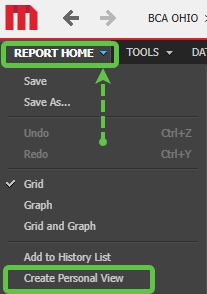
- Click on the down arrow beside Report Home then click on Create Personal View.
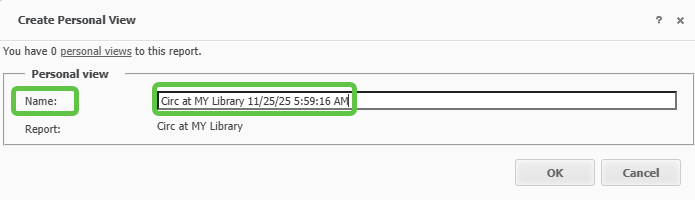
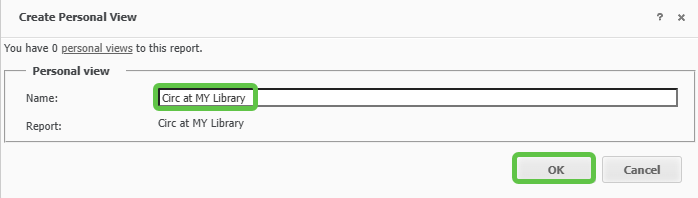
- At this point anything in the Name can be deleted or changed. When done click OK.
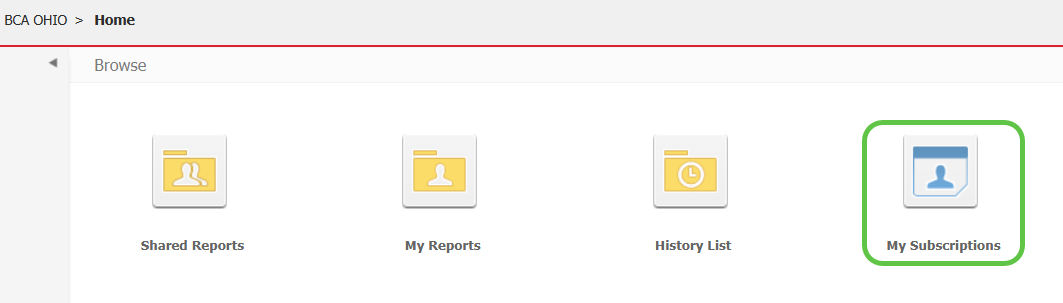
- To find your Personal View reports click on the My Subscriptions icon.
- To run the report, click on the title.

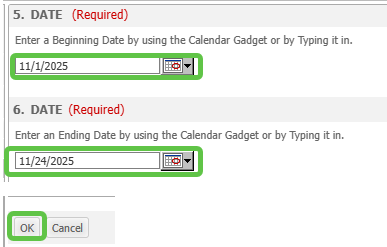
- If changes are needed before running your report, like the date(s) chosen within the report, click on the green question mark under the Action column.

- Make the necessary changes to your report then click OK.
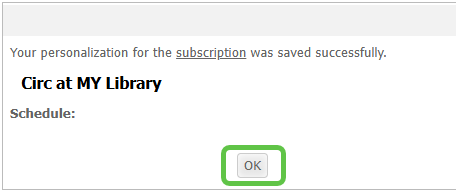
- A pop up will tell you that the changes were saved successfully. Click OK.
- Click on the title of the report to run it.
