Open navigation

Viewing Replies from Lenders for Unfilled Requests

Viewing Interlibrary Loan Supplier History

Follow these steps from the Interlibrary Loan Home screen:

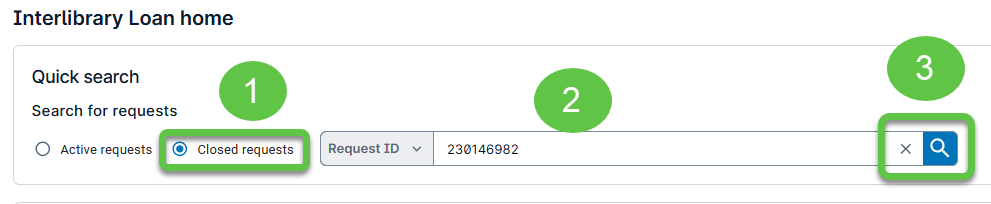
  1. Click the Closed Requests button.
  2. Enter the Request ID.
  3. Click the Searchbutton.

    Closed Requests search interface with Request ID field and Search button

  4. On the result screen, click the Request Historytab to display the Supplier History response.
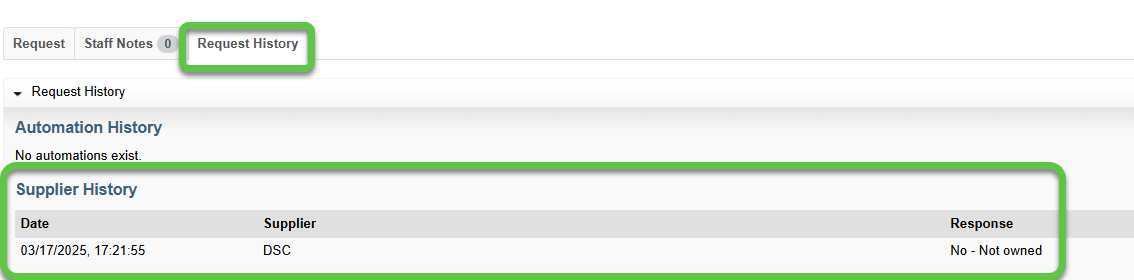
    Request details page highlighting the Request History tab and supplier status list

Was this article helpful?

That’s Great!

Thank you for your feedback

Sorry! We couldn't be helpful

Thank you for your feedback

Let us know how can we improve this article!

Select at least one of the reasons
CAPTCHA verification is required.

Feedback sent

We appreciate your effort and will try to fix the article