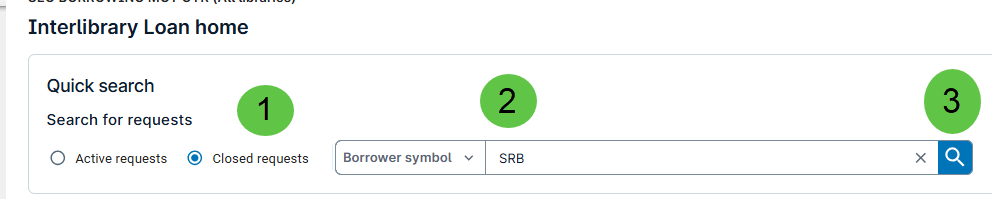
Choose Closed Requests radio button. Click dropdown for Borrower Symbol. Enter Borrower Symbol. . Click Go.
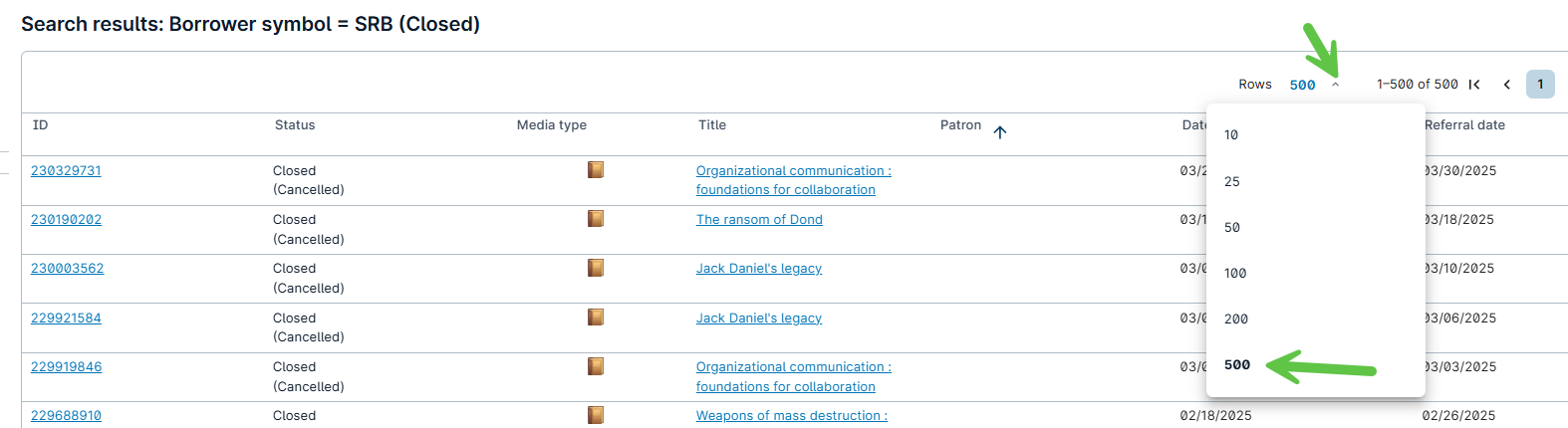
Click on Rows dropdown. Click 500.
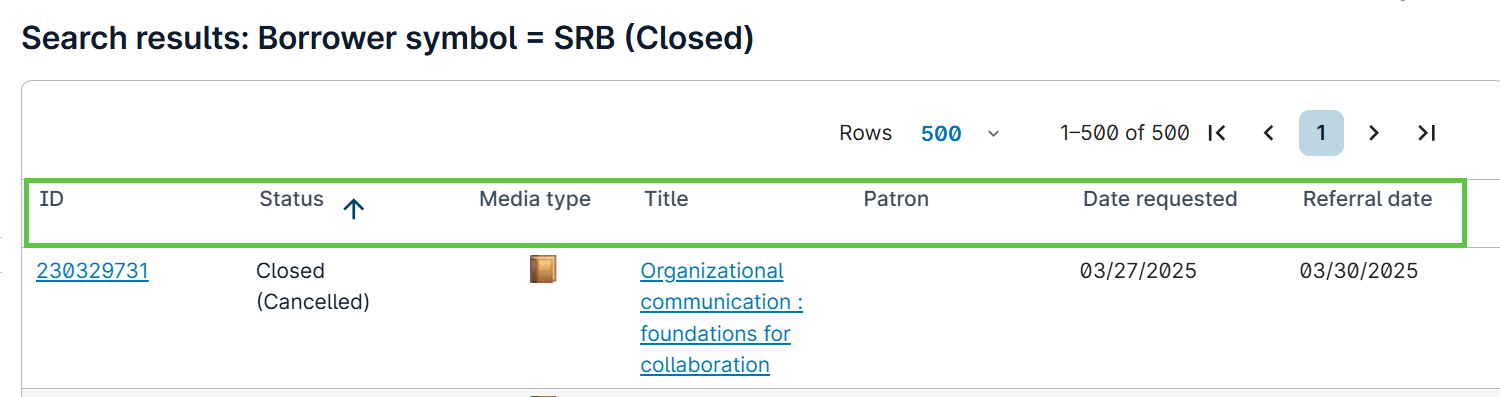
History can be sorted by all columns listed by clicking on the column heading you would like to sort.

Choose Closed Requests radio button. Click dropdown for Borrower Symbol. Enter Borrower Symbol. . Click Go.
Click on Rows dropdown. Click 500.
History can be sorted by all columns listed by clicking on the column heading you would like to sort.